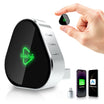
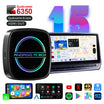
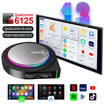
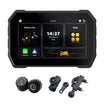
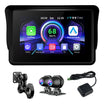
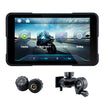
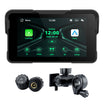
SKU: L8-Qua-8-128G

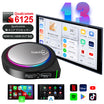
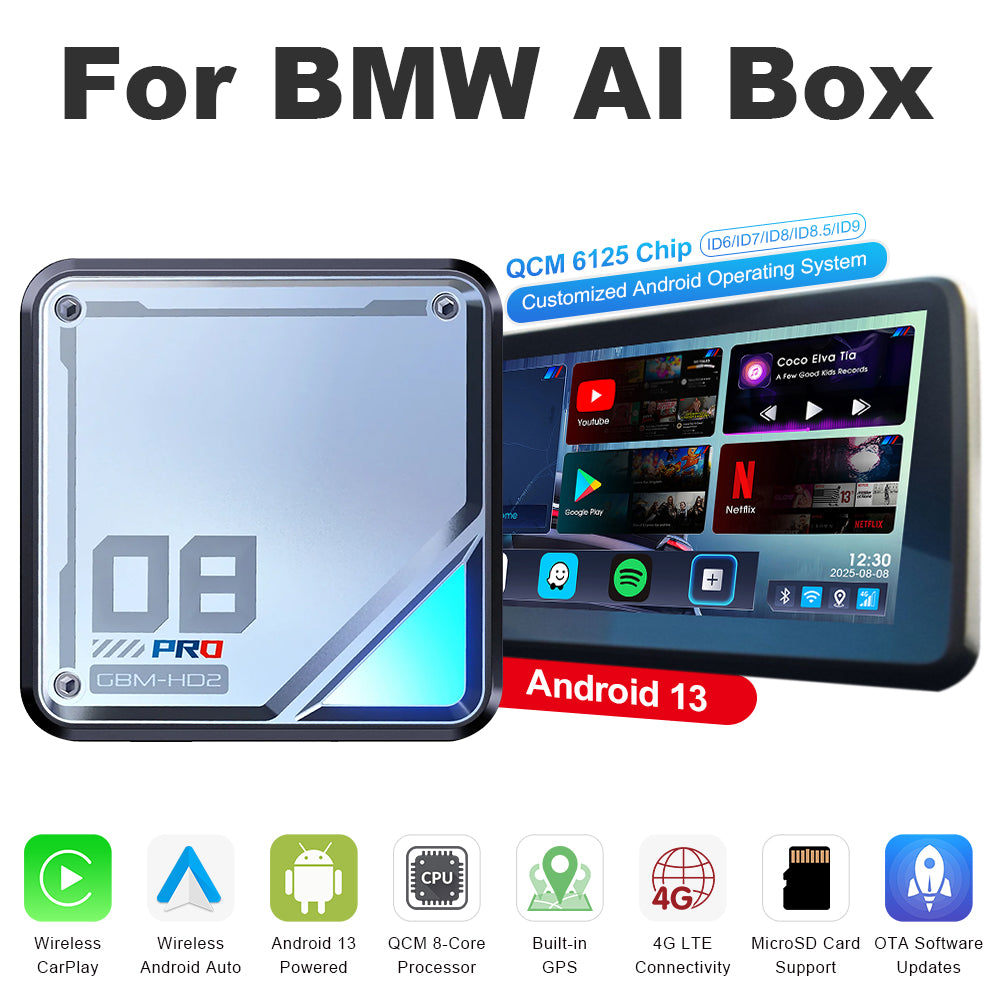
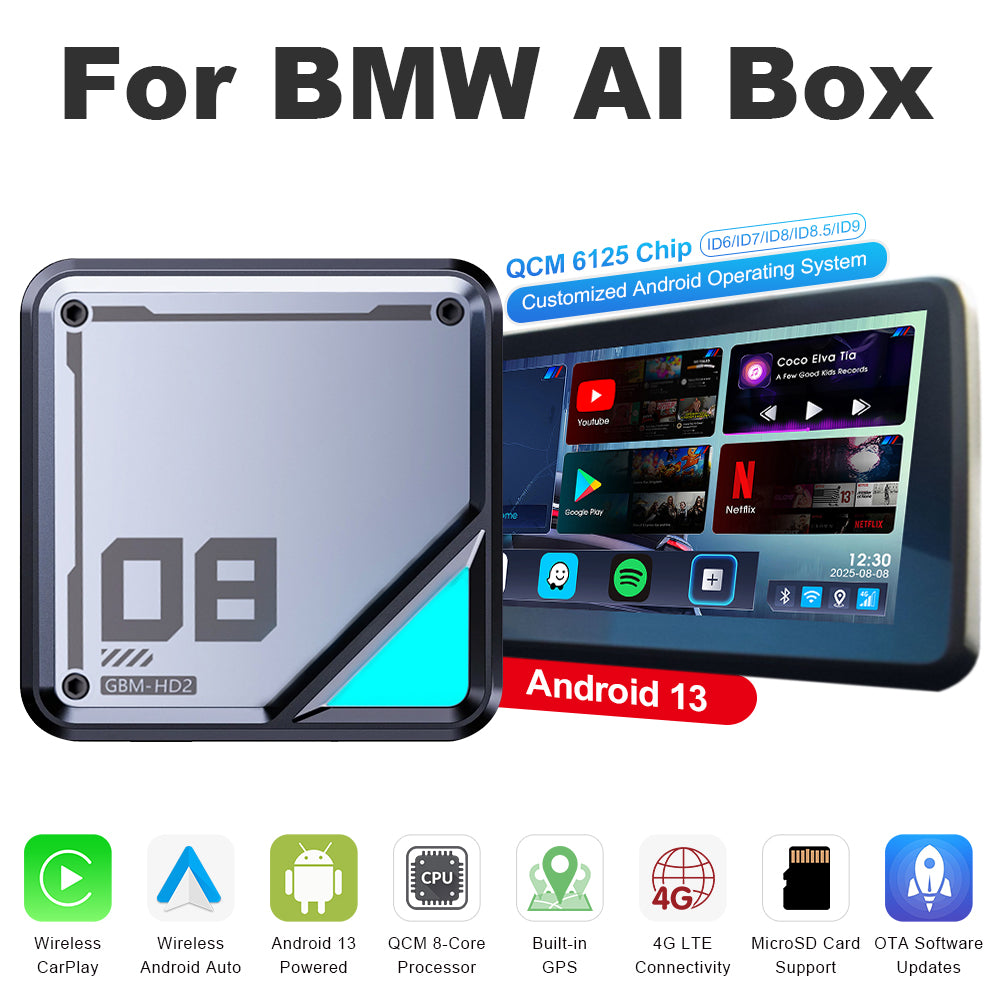
Boîtier IA Linkifun™ L8 sous Android 13 pour CarPlay dans les BMW – prise en charge de CarPlay et Android Auto sans fil – ID système personnalisable ID6/ID7/ID8/ID8.5/ID9

Prix de vente$265.00 Prix régulier$378.00
Save $113.00
Extra
20%
OFF

Better Tech for Every Journey

Use code DRIVE20 at checkout.

DRIVE20
Système: Version standard
PayPal Shop Pay Visa Mastercard Maestro JCB American Express Diners Club Discover Afterpay Klarna Google Pay Apple Pay
45-Day
Return
1-Year
Warranty
Free
Shipping
Fast
Support

Démonstration du produit

Mobile version of the Linkifun L8 CarPlay Android AI Box product poster displaying the main features and visuals optimized for small screens.
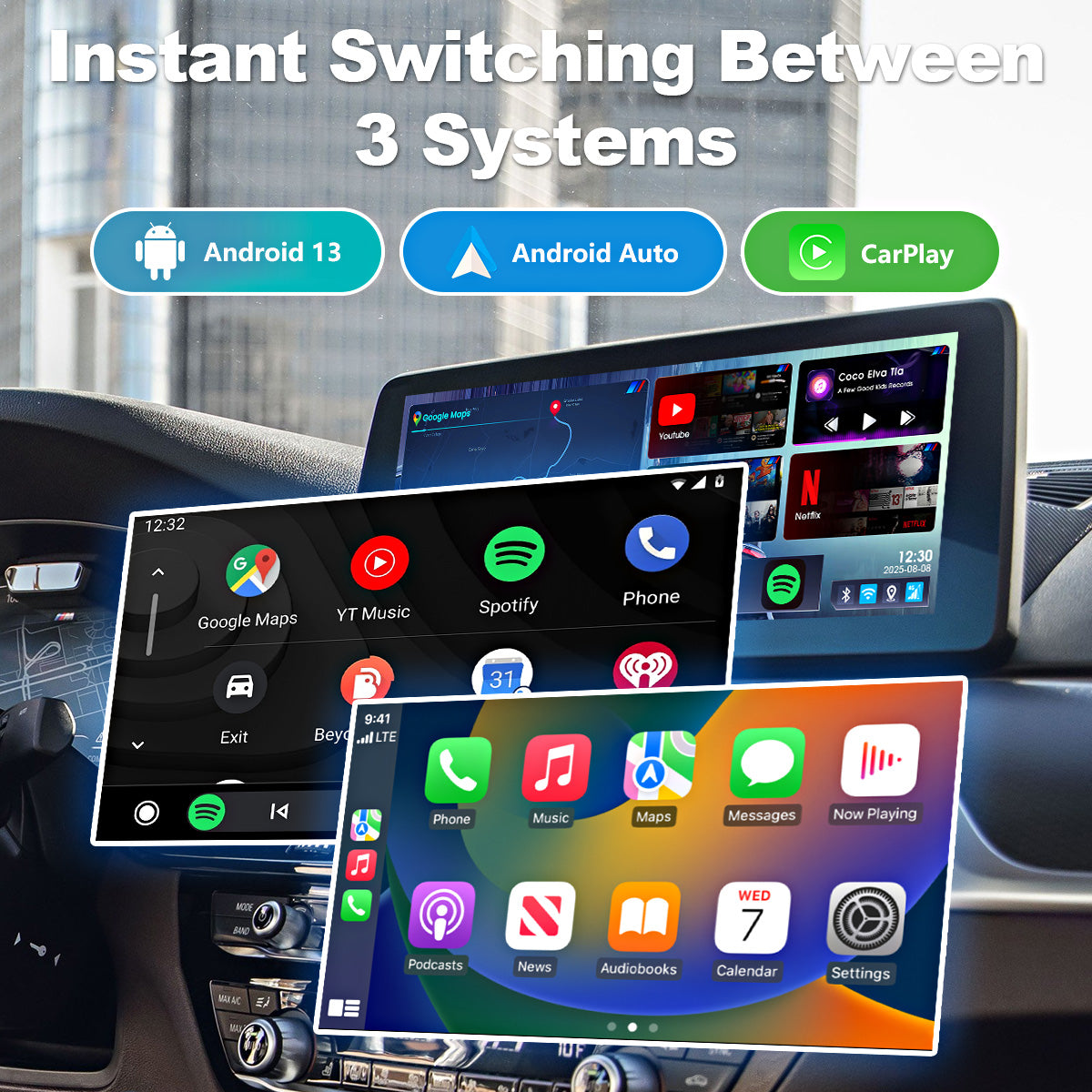
3-in-1 system switching feature of the Linkifun L8 CarPlay Android AI Box, allowing users to choose between Android system, Wireless CarPlay, and Wireless Android Auto.
01

Basculement fluide entre trois systèmes

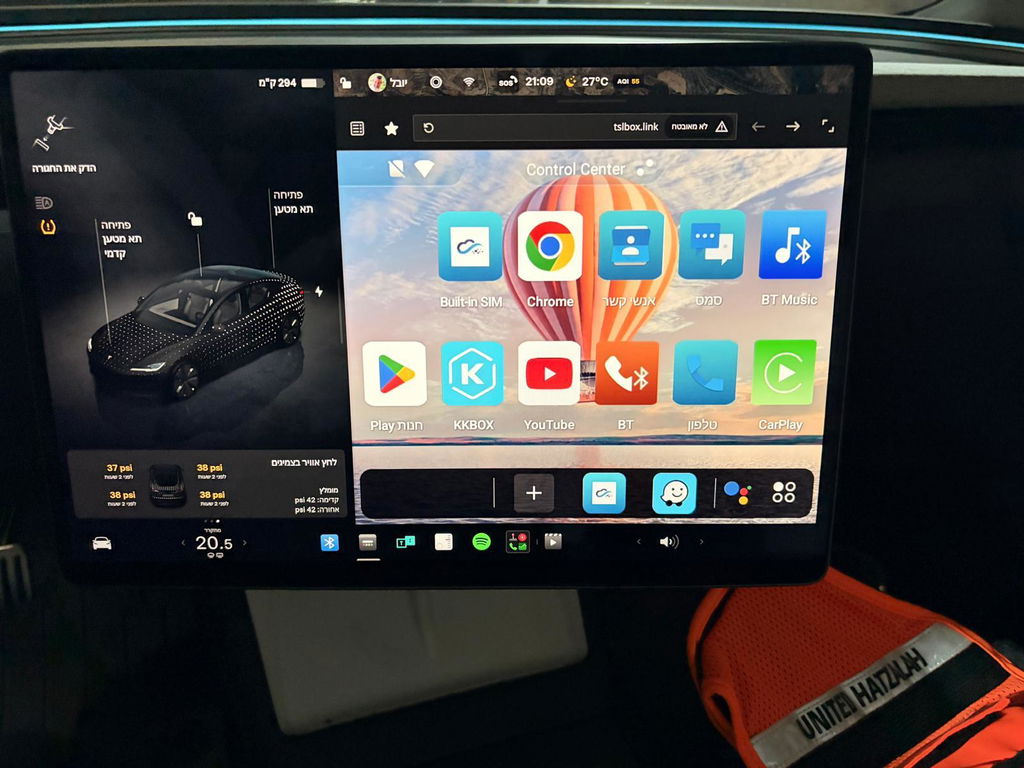
Mis à niveau vers Android 13, le L8 prend désormais en charge CarPlay sans fil et Android Auto sans fil, vous permettant de passer librement d’un environnement d’exploitation à l’autre.

Utilisez le système Android pour accéder à vos applications préférées, CarPlay si vous utilisez un iPhone ou Android Auto si vous utilisez un appareil Android. Cette sélection flexible du système vous permet de choisir l’interface la plus adaptée à chaque situation, pour une expérience de conduite plus fluide, plus intuitive et plus confortable.

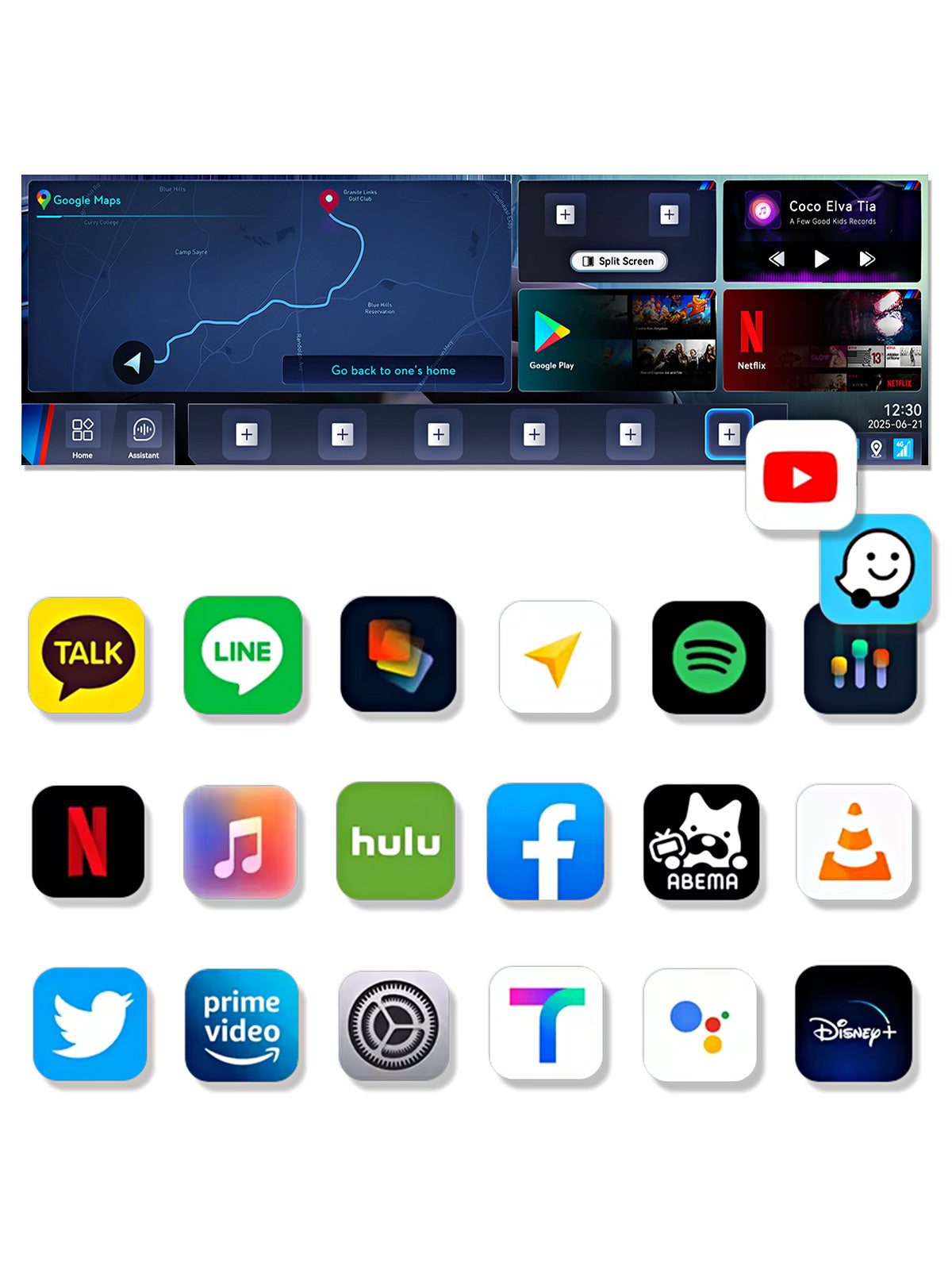
Google Play app download feature of the Linkifun L8 CarPlay Android AI Box, allowing users to install YouTube, Google Maps, Netflix, Spotify, and more for in-car entertainment.
02

Téléchargez vos applications préférées depuis Google Play

Avec une prise en charge complète du Google Play Store, téléchargez librement et profitez de vos applications préférées, comme YouTube, Google Maps, Netflix, Spotify, ABEMA et bien d’autres, directement dans votre véhicule.

L’interface grand écran offre un fonctionnement fluide et réactif, avec la même expérience intuitive que sur votre smartphone. Personnalisez le système embarqué de votre véhicule avec vos applications préférées et profitez d’une conduite plus flexible, confortable et divertissante.

4K Ultra HD media playback on the Linkifun L8 CarPlay Android AI Box, supporting YouTube, Hulu, Netflix, Disney+, and other streaming apps in 3840x2160 resolution.
03

Lecture multimédia haute résolution 4K

Profitez de vidéos sur YouTube, Hulu, Netflix, Disney+ et bien plus encore en résolution 4K époustouflante. Des détails nets et des images éclatantes offrent une expérience de divertissement immersive, pour un visionnage d’une qualité cinématographique dans votre véhicule.

Customizable home screen layout of the Linkifun L8 CarPlay Android AI Box, allowing users to adjust app drawers, components, and desktop layouts for a personalized interface.
04

Disposition de l’écran d’accueil entièrement personnalisable

Le L8 vous permet de personnaliser facilement votre écran d’accueil. Réorganisez le tiroir d’applications, ajustez l’emplacement des éléments de l’écran d’accueil et choisissez parmi plusieurs options de mise en page selon vos préférences. Épinglez les applications que vous utilisez fréquemment pour y accéder rapidement et organisez l’interface exactement comme vous le souhaitez, afin de créer une expérience utilisateur plus intuitive et efficace.

Grâce à une clarté et une convivialité accrues, vous pouvez créer une interface intelligente et personnalisée, conçue spécialement pour vos besoins de conduite.

Split-screen multitasking feature of the Linkifun L8 CarPlay Android AI Box, allowing customizable screen ratios and quick-access presets for navigation, video, and music apps.
05

Multitâche intelligent en écran partagé

La fonction intelligente d’écran partagé vous permet d’afficher la navigation tout en utilisant simultanément des applications vidéo ou musicales. Plus besoin de passer d’une application à l’autre : gérez facilement plusieurs tâches sur un seul écran.

Personnalisez librement la disposition de l’écran grâce à des proportions réglables telles que 3:7, 5:5 ou 2:8, afin de donner la priorité au contenu qui compte le plus.

L’activation du mode écran partagé ne nécessite que trois étapes simples :

  1. Sélectionnez les applications à afficher à gauche et à droite, puis choisissez la proportion de l’écran
  2. Créez une icône de lancement rapide (plusieurs dispositions peuvent être enregistrées)
  3. Appuyez une fois pour lancer instantanément l’affichage en écran partagé

Grâce à la possibilité de rappeler instantanément vos dispositions préférées, cette interface intelligente et efficace offre une expérience utilisateur plus flexible, intuitive et productive.

Versatile connectivity options of the Linkifun L8 CarPlay Android AI Box, supporting SIM card internet and mobile hotspot connection for reliable online access.
06

Options de connectivité polyvalentes

Offrant une connectivité Internet flexible, ce boîtier IA CarPlay Android pour BMW prend en charge une carte SIM pour une connexion indépendante ainsi que la possibilité de se connecter à un point d’accès mobile. Les utilisateurs peuvent ainsi toujours accéder aux services essentiels tels que la navigation, le streaming et les fonctionnalités en ligne, même lorsque la couverture mobile est instable.

Built-in GPS navigation of the Linkifun L8 CarPlay Android AI Box with GPS, GLONASS, and BeiDou support for accurate real-time navigation.
07

Navigation GPS intégrée

Équipé d’un positionnement haute précision compatible avec le GPS, GLONASS et BeiDou, le système offre une navigation précise et fiable. Utilisez en temps réel des applications cartographiques populaires comme Waze, Google Maps et Tmap, avec des performances fluides et un guidage stable, même sur les itinéraires complexes.

High-performance Qualcomm processor and large memory of the Linkifun L8 CarPlay Android AI Box, enabling smooth app launching, multitasking, and stable long-term operation.
08

Processeur Qualcomm hautes performances à 8 cœurs

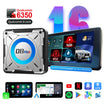
Propulsé par le processeur Qualcomm 6350 à 8 cœurs, le système offre un démarrage rapide, un multitâche fluide et une excellente gestion thermique. Même lorsque plusieurs applications sont exécutées simultanément, les performances restent stables et réactives, garantissant une expérience embarquée fluide pour le streaming vidéo, la navigation et d’autres applications exigeantes.

SIM and TF card expansion feature of the Linkifun L8 CarPlay Android AI Box, supporting up to 256GB storage and independent internet or calling capabilities.
09

Stockage et communication étendus

Le L8 prend en charge les cartes SIM et les cartes TF, permettant d’étendre le stockage jusqu’à 256 Go. Stockez directement la musique, les vidéos et les données des applications sur le système pour y accéder facilement à tout moment.

Avec une carte SIM installée, vous pouvez passer des appels et accéder à Internet de manière autonome, sans dépendre de votre smartphone, pour une conduite plus pratique et plus sûre.

OEM control support of the Linkifun L8 CarPlay Android AI Box, with a note advising users that a touchscreen is recommended since Bluetooth remotes are not supported.
10

Compatibilité totale avec les commandes d’origine

Le L8 prend entièrement en charge les systèmes de commande d’origine BMW, permettant une utilisation fluide par commande vocale, avec la molette iDrive, les boutons du volant et l’écran tactile : vous pouvez ainsi utiliser le système avec les commandes auxquelles vous êtes déjà habitué.

Veuillez noter que le L8 ne prend pas en charge les télécommandes Bluetooth génériques.

Pour une expérience utilisateur optimale, nous vous recommandons vivement que l’écran de votre véhicule soit équipé de la fonction tactile. Sans saisie tactile, certaines tâches comme la saisie de texte et la connexion au compte ne peuvent pas être effectuées, ce qui peut considérablement limiter l’utilisation.

Veuillez vous en assurer avant l’achat.

Initial connection guide for the Linkifun L8 CarPlay Android AI Box, explaining that BMW models auto-connect after the first setup, while MINI Cooper and Toyota GR Supra require manual connection each time. Smartphone not required for connection.
11

Guide de connexion initiale

Pour les véhicules BMW, une fois la configuration initiale terminée, il suffit de brancher le L8 pour que le système passe automatiquement à l’interface Android 13 lors des utilisations suivantes.

01

Basculement fluide entre trois systèmes

Mis à niveau vers Android 13, le L8 prend désormais en charge CarPlay sans fil et Android Auto sans fil, vous permettant de passer librement d’un environnement d’exploitation à l’autre.

Utilisez le système Android pour accéder à vos applications préférées, CarPlay si vous utilisez un iPhone ou Android Auto si vous utilisez un appareil Android. Cette sélection flexible du système vous permet de choisir l’interface la plus adaptée à chaque situation, pour une expérience de conduite plus fluide, plus intuitive et plus confortable.

02

Téléchargez vos applications préférées depuis Google Play

Avec une prise en charge complète du Google Play Store, téléchargez librement et profitez de vos applications préférées, comme YouTube, Google Maps, Netflix, Spotify, ABEMA et bien d’autres, directement dans votre véhicule.

L’interface grand écran offre un fonctionnement fluide et réactif, avec la même expérience intuitive que sur votre smartphone. Personnalisez le système embarqué de votre véhicule avec vos applications préférées et profitez d’une conduite plus flexible, confortable et divertissante.

03

Lecture multimédia haute résolution 4K

Profitez de vidéos sur YouTube, Hulu, Netflix, Disney+ et bien plus encore en résolution 4K époustouflante. Des détails nets et des images éclatantes offrent une expérience de divertissement immersive, pour un visionnage d’une qualité cinématographique dans votre véhicule.

04

Disposition de l’écran d’accueil entièrement personnalisable

Le L8 vous permet de personnaliser facilement votre écran d’accueil. Réorganisez le tiroir d’applications, ajustez l’emplacement des éléments de l’écran d’accueil et choisissez parmi plusieurs options de mise en page selon vos préférences. Épinglez les applications que vous utilisez fréquemment pour y accéder rapidement et organisez l’interface exactement comme vous le souhaitez, afin de créer une expérience utilisateur plus intuitive et efficace.

Grâce à une clarté et une convivialité accrues, vous pouvez créer une interface intelligente et personnalisée, conçue spécialement pour vos besoins de conduite.

05

Multitâche intelligent en écran partagé

La fonction intelligente d’écran partagé vous permet d’afficher la navigation tout en utilisant simultanément des applications vidéo ou musicales. Plus besoin de passer d’une application à l’autre : gérez facilement plusieurs tâches sur un seul écran.

Personnalisez librement la disposition de l’écran grâce à des proportions réglables telles que 3:7, 5:5 ou 2:8, afin de donner la priorité au contenu qui compte le plus.

L’activation du mode écran partagé ne nécessite que trois étapes simples :

  1. Sélectionnez les applications à afficher à gauche et à droite, puis choisissez la proportion de l’écran
  2. Créez une icône de lancement rapide (plusieurs dispositions peuvent être enregistrées)
  3. Appuyez une fois pour lancer instantanément l’affichage en écran partagé

Grâce à la possibilité de rappeler instantanément vos dispositions préférées, cette interface intelligente et efficace offre une expérience utilisateur plus flexible, intuitive et productive.

06

Options de connectivité polyvalentes

Offrant une connectivité Internet flexible, ce boîtier IA CarPlay Android pour BMW prend en charge une carte SIM pour une connexion indépendante ainsi que la possibilité de se connecter à un point d’accès mobile. Les utilisateurs peuvent ainsi toujours accéder aux services essentiels tels que la navigation, le streaming et les fonctionnalités en ligne, même lorsque la couverture mobile est instable.

07

Navigation GPS intégrée

Équipé d’un positionnement haute précision compatible avec le GPS, GLONASS et BeiDou, le système offre une navigation précise et fiable. Utilisez en temps réel des applications cartographiques populaires comme Waze, Google Maps et Tmap, avec des performances fluides et un guidage stable, même sur les itinéraires complexes.

08

Processeur Qualcomm hautes performances à 8 cœurs

Propulsé par le processeur Qualcomm 6350 à 8 cœurs, le système offre un démarrage rapide, un multitâche fluide et une excellente gestion thermique. Même lorsque plusieurs applications sont exécutées simultanément, les performances restent stables et réactives, garantissant une expérience embarquée fluide pour le streaming vidéo, la navigation et d’autres applications exigeantes.

09

Stockage et communication étendus

Le L8 prend en charge les cartes SIM et les cartes TF, permettant d’étendre le stockage jusqu’à 256 Go. Stockez directement la musique, les vidéos et les données des applications sur le système pour y accéder facilement à tout moment.

Avec une carte SIM installée, vous pouvez passer des appels et accéder à Internet de manière autonome, sans dépendre de votre smartphone, pour une conduite plus pratique et plus sûre.

10

Compatibilité totale avec les commandes d’origine

Le L8 prend entièrement en charge les systèmes de commande d’origine BMW, permettant une utilisation fluide par commande vocale, avec la molette iDrive, les boutons du volant et l’écran tactile : vous pouvez ainsi utiliser le système avec les commandes auxquelles vous êtes déjà habitué.

Veuillez noter que le L8 ne prend pas en charge les télécommandes Bluetooth génériques.

Pour une expérience utilisateur optimale, nous vous recommandons vivement que l’écran de votre véhicule soit équipé de la fonction tactile. Sans saisie tactile, certaines tâches comme la saisie de texte et la connexion au compte ne peuvent pas être effectuées, ce qui peut considérablement limiter l’utilisation.

Veuillez vous en assurer avant l’achat.

11

Guide de connexion initiale

Pour les véhicules BMW, une fois la configuration initiale terminée, il suffit de brancher le L8 pour que le système passe automatiquement à l’interface Android 13 lors des utilisations suivantes.

3-in-1 system switching feature of the Linkifun L8 CarPlay Android AI Box, allowing users to choose between Android system, Wireless CarPlay, and Wireless Android Auto.Google Play app download feature of the Linkifun L8 CarPlay Android AI Box, allowing users to install YouTube, Google Maps, Netflix, Spotify, and more for in-car entertainment.4K Ultra HD media playback on the Linkifun L8 CarPlay Android AI Box, supporting YouTube, Hulu, Netflix, Disney+, and other streaming apps in 3840x2160 resolution.Customizable home screen layout of the Linkifun L8 CarPlay Android AI Box, allowing users to adjust app drawers, components, and desktop layouts for a personalized interface.Split-screen multitasking feature of the Linkifun L8 CarPlay Android AI Box, allowing customizable screen ratios and quick-access presets for navigation, video, and music apps.Versatile connectivity options of the Linkifun L8 CarPlay Android AI Box, supporting SIM card internet and mobile hotspot connection for reliable online access.Built-in GPS navigation of the Linkifun L8 CarPlay Android AI Box with GPS, GLONASS, and BeiDou support for accurate real-time navigation.High-performance Qualcomm processor and large memory of the Linkifun L8 CarPlay Android AI Box, enabling smooth app launching, multitasking, and stable long-term operation.SIM and TF card expansion feature of the Linkifun L8 CarPlay Android AI Box, supporting up to 256GB storage and independent internet or calling capabilities.OEM control support of the Linkifun L8 CarPlay Android AI Box, with a note advising users that a touchscreen is recommended since Bluetooth remotes are not supported.Initial connection guide for the Linkifun L8 CarPlay Android AI Box, explaining that BMW models auto-connect after the first setup, while MINI Cooper and Toyota GR Supra require manual connection each time. Smartphone not required for connection.
Linkifun L8 Standard and L8 Pro internal design comparison showing the upgraded ultra-quiet cooling fan for improved heat dissipation.
Compatibility chart showing that the Linkifun L8 Android AI Box supports BMW iDrive systems ID6, ID7, ID8, ID8.5, and ID9.
Online firmware update feature of the Linkifun L8 CarPlay Android AI Box displayed in a desktop layout, showing OTA system upgrade capability.
Specifications and dimensions of the Linkifun L8 CarPlay Android AI Box displayed in a mobile-friendly format, including measurements and key features.

FAQ

Customers praised this Android 13 AI Box for easy installation and seamless connectivity, enabling streaming apps like Netflix and YouTube. Many noted "works perfectly" on various models. However, some experienced sound delay and slow performance on older ID6 systems. Responsive customer service received positive mentions.

  • Simple setup, ease of use.
  • All the apps support full screen and it's easy customizable to what I need to display.
  • Fast app loading and reliable performance make this adapter an exceptional all-in-one solution.
Streaming (positive)Installation (positive)Connection (positive)Connectivity (positive)Apps (positive)
  • 5 stars: 46 (90%)
  • 4 stars: 5 (10%)
  • 3 stars: 0 (0%)
  • 2 stars: 0 (0%)
  • 1 star: 0 (0%)
B
Bill W.

*NOTE* Don't read a couple of non 5 star reviews and make a decision. Look at the reviews for the Linkifun product and then the reviews for the Linkifun Store. Their are reviews that give less than 5 stars for nonsense.
One complaining that shipping took a few weeks. If you paid for standard international shipping then that is reality and undeserving of less than 5 stars.
Another complaining that they wish the unit accepted a sim card in the US. The description clearly states this information for that particular unit and you buy it to complain that the item was exactly as described.
One unit purchased for a BMW complaining that, there was a learning curve to navigating through the device, the unit lags and does not use the full head unit screen. First, don't be lazy it's a very straight forward system and does not have near the options, settings and interface as a Dudu7, firestick or a smartphone. Second, I have had zero issues with lagging and define in my review below. It sounds like the sim card carrier service you have isn't great in your area, no fault of the unit. Last, there are settings for the screen and some apps act differently than others just as they do on a smart phone.

Application:
Unit: L8 AI Box for BMW
Option: Android 13 Qualcomm 8+128GB
Sim Card: T-mobile 30GB text & data (no voice) $10/month
Automobile: 2022 BMW X5 G05 45e - iDrive7

I purchased the higher memory and advise to do so. There is a noticeable boot up and application run speed difference if you choose the cheaper version vs the higher end. You get what you pay for. I found this out the hard way in my previous purchase of a Mekede Dudu7 unit. The review videos of the Dudu7 showed several timed instances of boot up and application run speeds for the top end unit. I went cheap and got the low end and it was no where near as fast, 50-60%.
The sim card was plug and play left over from my previous unit mentioned above. I called T-mobile to cancel it prior to purchasing the L8 as it wasnt being used. They gave me a $10 (so free) bill credit indefinitely. I have several lines and devices for family on my account so they're getting their money. The 30GB has never been reached or throttled. It has worked great in my area and the vast majority of our road trips. I regularly use the split screen to play YouTube or Netflix with Waze running on half.
The bootup to screen on my X5 is random. Sometimes its immediate and sometimes I have to unplug the L8 and plug it back in. This may be the 90 degree usb adapter in my console. It also may be due to the unit not getting proper air flow/open air to no fault of the units. It sits under a shelf in the center console and I live in Alabama so it could be a number of those affecting the units temperature.
The settings are pretty basic compared to other devices which is a positive IMO. There are screen settings to play with along with all the typical android settings. The screen on my X5 is not a standard size but the device works great on it. Waze for instance covers the entire screen edge to edge which is a huge nav screen. Youtube also covers the entire screen. Netflix uses the whole screen until a video is played and then it gives a ~0.5 inch top and bottom border and ~1.0 inch left and right border. It is still a good size and a non-issue for me.
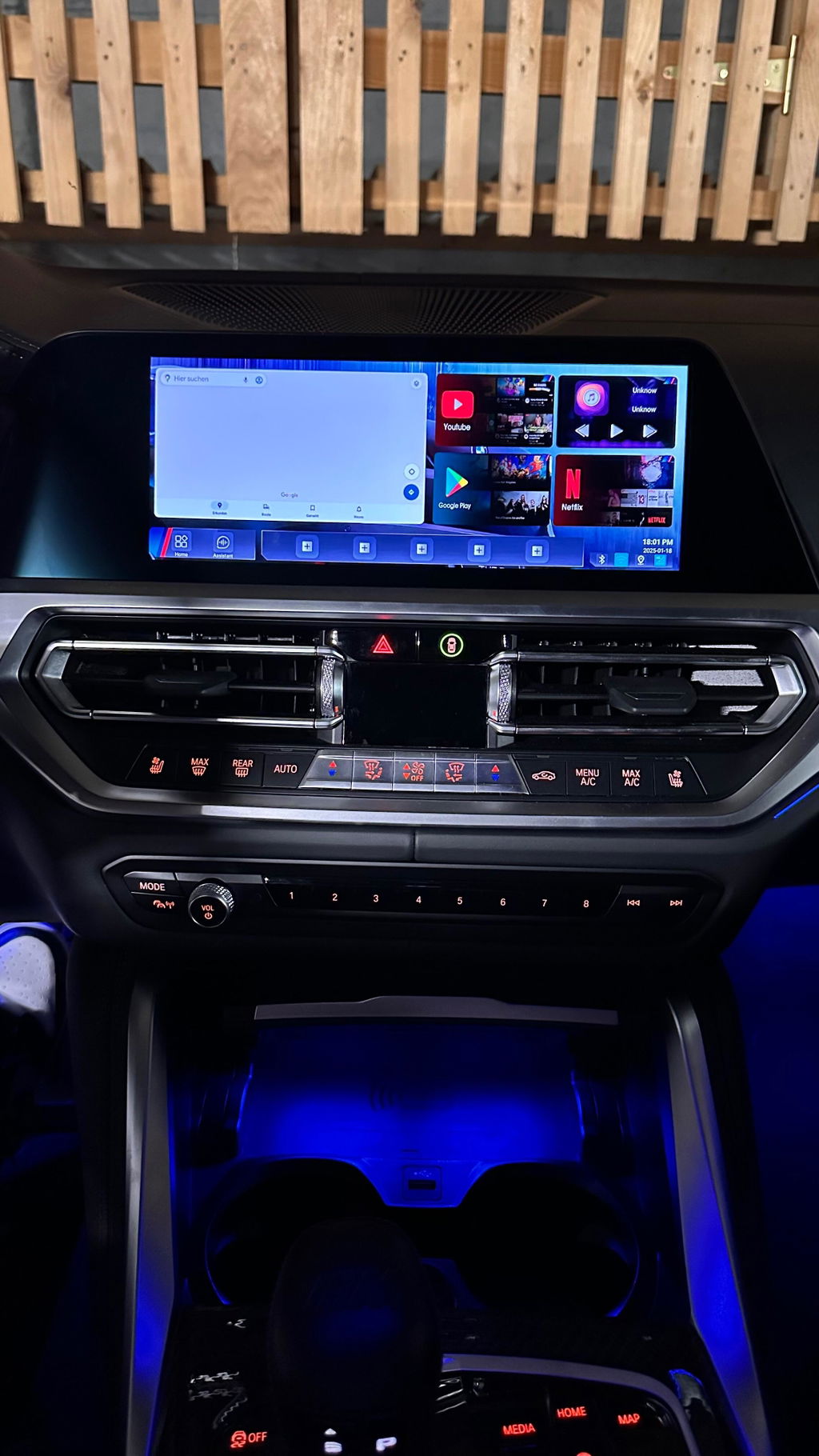
The main screen has a Google maps that takes up one half the screen and then 4 widgets on the other half.
2 of the widgets cannot be changed to other apps or are pre-set. 1 of the pre-set widgets is split screen. You can set two apps within it, specifying left & right, that is basically a shortcut to that particular split screen. The 2nd preset widget is audio. This shows what is currently playing with standard music options buttons (play/pause, next, back, etc).
The other two widgets can be changed to a limited list of available apps you've downloaded on the device.
The home screen has an option to add 5 favorites on a favorites bar. The remaining screens you can add any number just like an android and the app icons display on it. The app icons can be sorted to your liking. Tying back to split screen, you can add multiple icons or instances of split screen. They will show as an app icon with thise 2 apps split on the icon. Those split screen icons/instances can be added to any of the 5 favorites on the home screen.
There is a folder app icon that is for your micro sd card and the system. You can access your pictures, music, videos, files, etc here. The unit comes preloaded with a large variety of screen background images and you can save or make your own to your sd card. There are some pretty neat background images that come with the unit and I use those.
The L8 connects to your screen by accessing the BMW iDrive Carplay app and selecting the Linkifun L8. Mine is named BM-4numbers as the carplay connection. Disconnect your BMW wifi to phone option from your phones wifi. It will keep the iDrive and Carplay for battling connection. A great ...

B
Bill W.
Linkifun L8 AI Box for BMW

The Product:
Linkifun L8 Carplay Android AI Box for BMW purchased for 2022 BMW G05 X5 XDRIVE45E. The product is amazing. It is a highly competitive price point with like products. I recently sold a vehicle that I had installed the DuduAuto Dudu7 unit in, wanted a similar setup for the X5 but did not want to replace the head unit. The L8 combined with the X5 head unit has everything and more that the Dudu7 offered.
The unit should be placed in an open air area vs inside of a console or glove box. I live in Alabama and have it in my center console. On the 95+ degree days it may lag on connectivity due to restricted air flow in the console. The unit was plug and play. I have a T-mobile sim card with 4G data plan and it has worked without issue. The device is small and has a nice visual design which may matter to those that are limited in space. I have noticed a audio and video do not perfectly sync in apps such a YouTube, Netflix, etc but this was easily fixed in the settings with a sync time offset. I love the L8 and would highly recommend it. I don't have a cons to list about the L8.
Customer Service:
The L8 shipped promptly, and was packaged well. Customer service was very responsive and helpful with a carrier import duties shipping issue, at no fault to Linkifun. It was an overall very positive experience.

N
Nabeel M.

It works very well on my BMW X7, all the apps support full screen and it’s easy customizable to what I need to display . 100 % recommended

T
Tuan S.P.

Ich bin so glücklich

A
Anonymous
Delay

It's a shame that the sound is delayed.

Dear customer,

Thank you for your feedback. We are sorry to hear about the audio/video delay issue.

For this problem, please try adjusting the delay setting on your L8:

Open Settings
Go to Audio
Find Video Sync Options
First set the value to 200 ms
Then return to the original car interface and enter the box system again. This step is needed for the setting to take effect.

After that, please check whether the audio/video synchronization has improved.

If the delay still exists, you can try changing the value to 400 ms, then return to the original car interface again and enter the box system once more. You can continue testing different values to find the best synchronization setting.

If the issue still cannot be solved, please contact our support team and we will continue to help you. Thank you for your understanding.
BR
The Linkifun Team

A
Anonymous
Easy to Connect

Easy to Connect , But need some Time to well manage

M
Martin V.
I am very happy with this product

I am very happy with this product. But what I really would appreciate, is the better manual for installation and using manual. Btw., the QR codes did not work. There were a lot of functions I found just by chance, which is really pitty. For the customer and for the seller, as well

J
Jan
Great box! (with some limitation on ID6)

Finally, a system that really works with the iDrive 6 (ID6) system. Fully functional on the 2017 BMW G11 (750d).
The BOX can actively establish a connection on its own, which is necessary for ID6 (ID6 cannot actively search for a connection on its own, it just opens it and waits for an active connection from the other side. Many boxes cannot do this).

Functionally, it's a fine device. You can play YouTube, Netflix, etc. The only downside is that the system is very slow. Perhaps this is not a fault of the BOX, but rather the slowness of the ID6 system (I understand that it is 8 years old), but the Android response is very slow. This doesn't matter on YouTube and Netflix, but if you plan to download an internet browser or email client, for example, you can download them, but you can't work in them (the system is so slow that you definitely won't be able to write an email).

Overall, however, I rate it very positively. For the price, it's a great device and I can recommend buying it.

A
Arthur L.M.
Great addition to my BMW

Great addition to my BMW. This is the only way you can use your BMW IDrive to watch Netflix and other apps without having a fixed Android connection on your vehicle. The company is very responsive and answered all of my questions while installing the device. Highly recommend the device and the company.

A
Anonymous
Great addition to my 2025 BMW Z4

Great addition to my 2025 BMW Z4. Product works just as advertised. Great customer service.

Z
Zane A.

I've been asked about it several times when I'm in the drive thru and people notice a video playing on my infotainment screen.

L
Levi T.

I love it.

L
Liam A.

Super fancy

S
Seth M.

Love this device to watch, YouTube, Netflix, CarPlay etc!

C
Cameron M.

I love the extra ram and the unit came preloaded with app stores (official and unofficial).

C
Craig P.

The best for BMW

C
Christopher D.

have tried several of these devices over the past few years and all never delivered as described...until this one. The box has done exactly as I had hoped and more! Simple setup, ease of use.

R
Robert I.

Works quick, has amazing features and allows for quick actions!

R
Robert A.

The ability to stream Netflix, YouTube, TikTok, and access the Play Store is a game-changer for entertainment on the go. Setup is quick, and the connection is consistently stable with smooth video playback. The fast app loading and reliable performance make this adapter an exceptional all-in-one solution. Highly recommended!

J
Jeffrey B.

I recently got this box, the setup was simple and the response time is impressive. It makes my driving experience much safer and more enjoyable

N
Nabeel M.
Work perfectly

The device worked with my X7 2024 perfectly and as expected and It is highly recommended

O
Ozgur S.
Je remercie à toute l'équipe linkifun.

Je remercie à toute l'équipe linkifun.

N
Nabeel M.

It works perfectly on my BMW X7 2024. Highly recommended

N
Nabeel M.
worked perfectly

The smart box worked perfectly on my BMW X7 2024

S
Seth D.
worth each penny

As for its durability, I will wait and see, after all, I have only used it for a month.