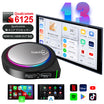
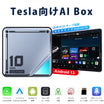
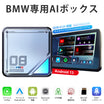
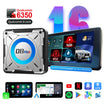
SKU: L8-Qua-8-128G

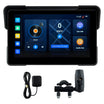
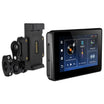
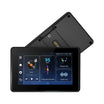
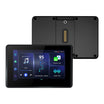
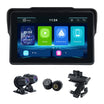
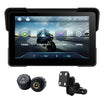
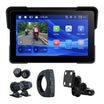
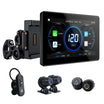
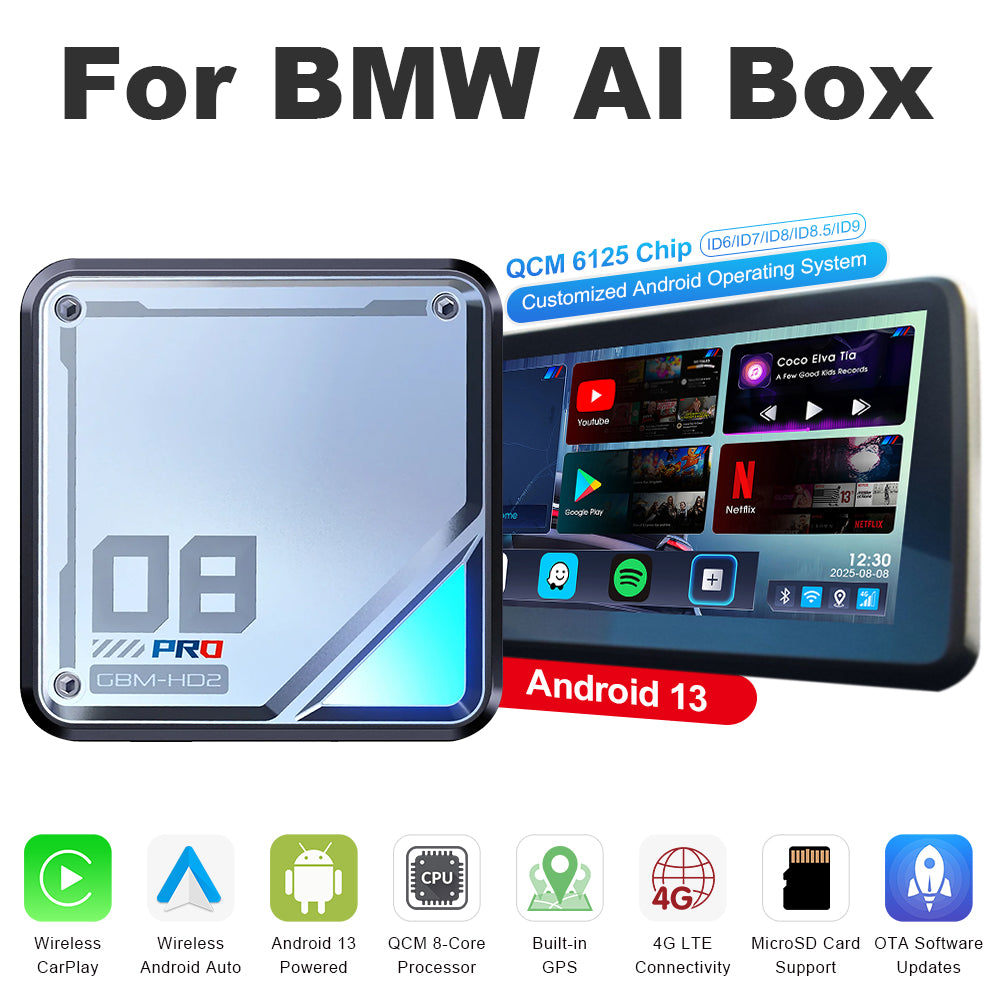
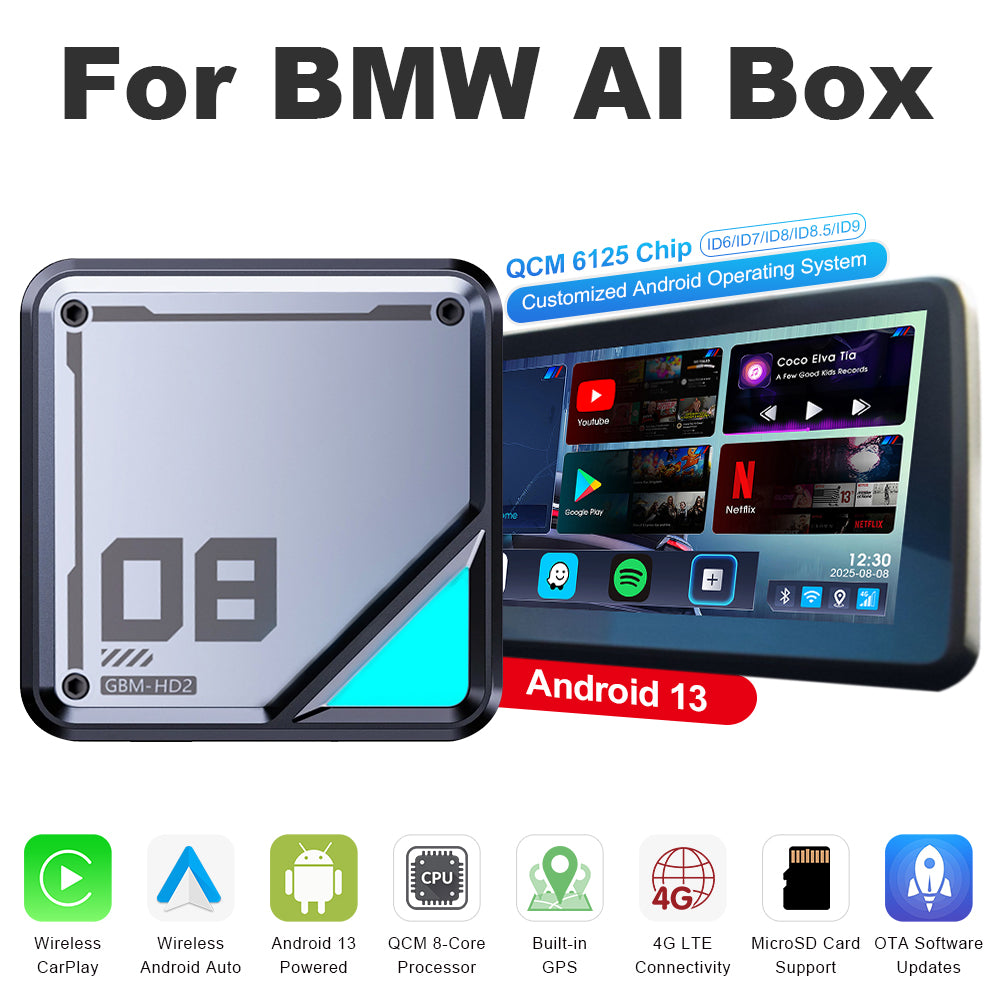
Linkifun™ L8 CarPlay Android 13 AIボックス(BMW用) – ワイヤレスCarPlay & Android Autoサポート – カスタマイズ可能なシステムID6/ID7/ID8/ID8.5/ID9

セール価格$265.00 通常価格$378.00
$113.00を節約する
Extra
20%
OFF

Better Tech for Every Journey

Use code DRIVE20 at checkout.

DRIVE20
システム: 通常版
PayPal Shop Pay Visa Mastercard Maestro JCB American Express Diners Club Discover Afterpay Klarna Google Pay Apple Pay
45-Day
Return
1-Year
Warranty
Free
Shipping
Fast
Support

製品デモンストレーション

Mobile version of the Linkifun L8 CarPlay Android AI Box product poster displaying the main features and visuals optimized for small screens.
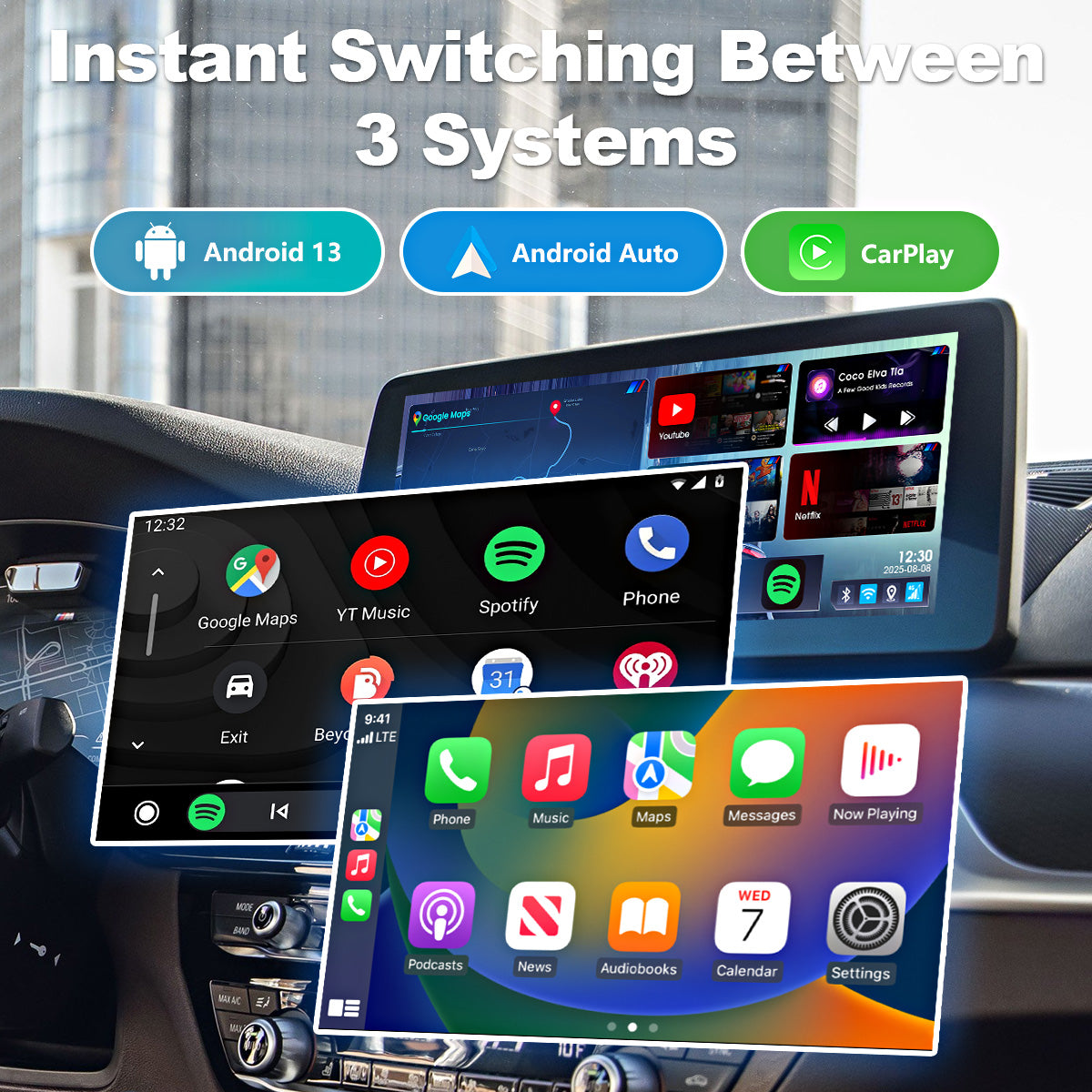
3-in-1 system switching feature of the Linkifun L8 CarPlay Android AI Box, allowing users to choose between Android system, Wireless CarPlay, and Wireless Android Auto.
01

三つのシステム間のシームレスな切り替え

Android 13にアップグレードされたL8は、ワイヤレスCarPlayとワイヤレスAndroid Autoをサポートし、3つのオペレーティング環境を自由に切り替えることができます。

お気に入りのアプリにアクセスしたいときはAndroidシステムを、iPhoneユーザーにはCarPlayを、AndroidユーザーにはAndroid Autoを使用してください。この柔軟なシステム選択により、状況に応じて最も適したインターフェースを選択でき、よりスムーズで直感的、快適な運転体験を提供します。

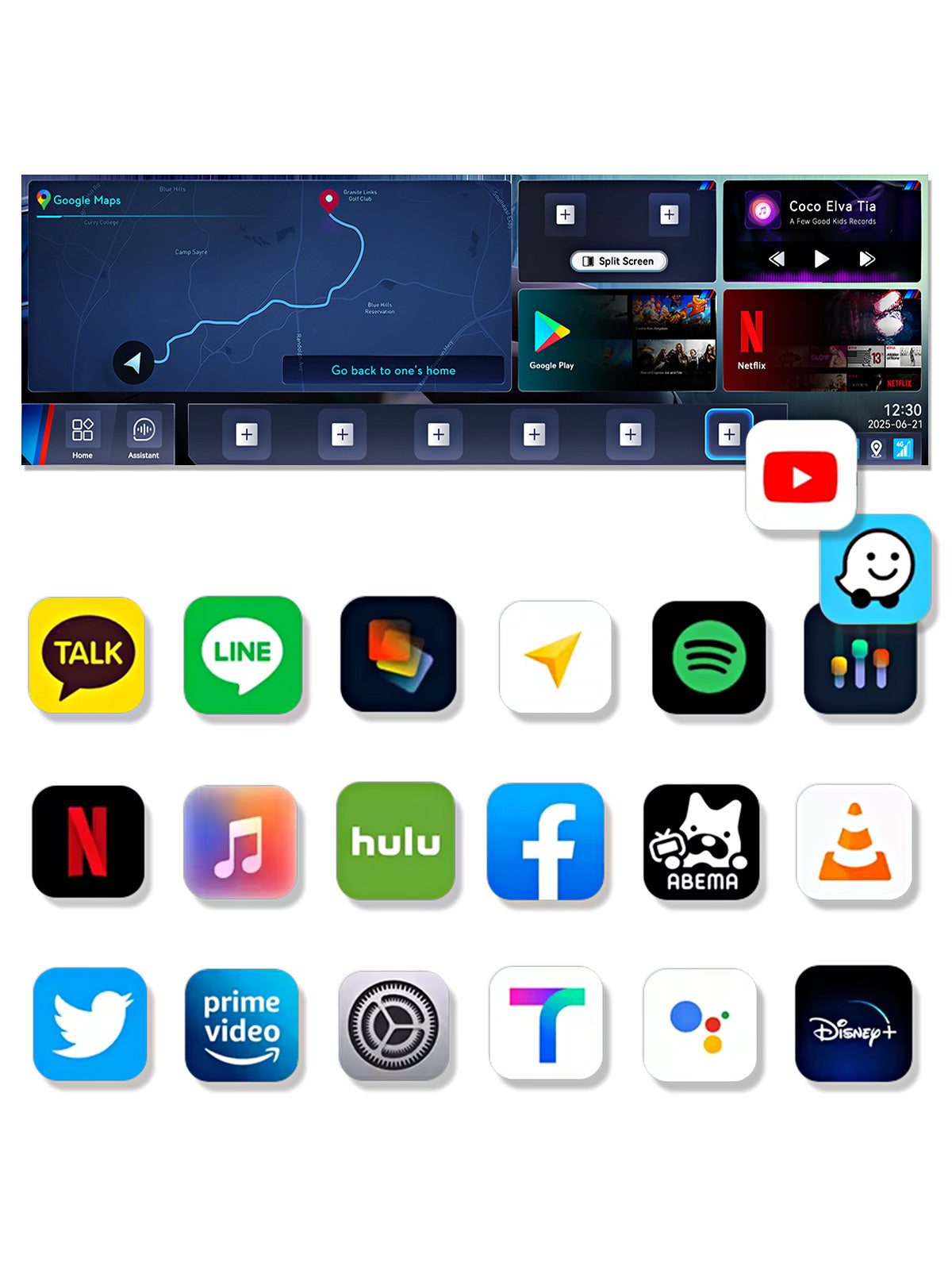
Google Play app download feature of the Linkifun L8 CarPlay Android AI Box, allowing users to install YouTube, Google Maps, Netflix, Spotify, and more for in-car entertainment.
02

Google Playからお気に入りのアプリをダウンロードする

Google Playストアをフルサポートしているので、お気に入りのアプリ(YouTube、Googleマップ、Netflix、Spotify、ABEMAなど)を車内で自由にダウンロードして楽しむことができます。

大画面インターフェースはスムーズで反応の良い操作を提供し、スマートフォンを使用しているのと同じ直感的な体験を実現します。好きなアプリで車内システムをカスタマイズし、より柔軟で快適、そして楽しいドライブ体験をお楽しみください。

4K Ultra HD media playback on the Linkifun L8 CarPlay Android AI Box, supporting YouTube, Hulu, Netflix, Disney+, and other streaming apps in 3840x2160 resolution.
03

4K高解像度メディア再生

YouTube、Hulu、Netflix、Disney+などの動画を驚くべき4K解像度でお楽しみください。鮮明なディテールと鮮やかなビジュアルが没入感のあるエンターテインメント体験を提供し、映画のような視聴をあなたの車にお届けします。

Customizable home screen layout of the Linkifun L8 CarPlay Android AI Box, allowing users to adjust app drawers, components, and desktop layouts for a personalized interface.
04

完全にカスタマイズ可能なホームスクリーンレイアウト

L8を使用すると、ホーム画面を簡単にカスタマイズできます。アプリドロワーを再配置し、ホーム画面のコンポーネントの配置を調整し、好みに合わせた複数のレイアウトオプションから選択できます。よく使うアプリをピン留めして迅速にアクセスできるようにし、インターフェースを自分の好きなように整理して、より直感的で効率的なユーザー体験を作り出します。

向上した明瞭さと使いやすさにより、運転ニーズに特化したスマートでパーソナライズされたインターフェースを構築できます。

Split-screen multitasking feature of the Linkifun L8 CarPlay Android AI Box, allowing customizable screen ratios and quick-access presets for navigation, video, and music apps.
05

スマートスプリットスクリーンマルチタスク

スマート分割画面機能を使えば、動画や音楽アプリを同時に使用しながらナビゲーションを表示できます。アプリ間を切り替える必要はなく、1つの画面で複数のタスクをスムーズに管理できます。

3:7、5:5、2:8などの調整可能な分割比率で画面レイアウトを自由にカスタマイズでき、最も重要なコンテンツを優先できます。

分割画面モードを有効にするのは、たった3つの簡単なステップです:

  1. 左側と右側のアプリを選択し、画面比率を選びます
  2. クイックランチャーアイコンを作成します(複数のレイアウトを保存できます)
  3. タップ1回で瞬時に分割画面表示を起動します

お気に入りのレイアウトを瞬時に呼び出すことができるこのスマートで効率的なインターフェースは、より柔軟で直感的、かつ生産的なユーザー体験を提供します。

Versatile connectivity options of the Linkifun L8 CarPlay Android AI Box, supporting SIM card internet and mobile hotspot connection for reliable online access.
06

多様な接続オプション

柔軟なインターネット接続を提供するこのBMW用Carplay Android AIボックスは、独立したネットワーキングのためのSIMカードとモバイルホットスポットへの接続の両方をサポートしています。これにより、ユーザーはモバイルカバレッジが不安定な場合でも、ナビゲーション、ストリーミング、オンライン機能などの重要なサービスに常にアクセスできることが保証されます。

Built-in GPS navigation of the Linkifun L8 CarPlay Android AI Box with GPS, GLONASS, and BeiDou support for accurate real-time navigation.
07

内蔵GPSナビゲーション

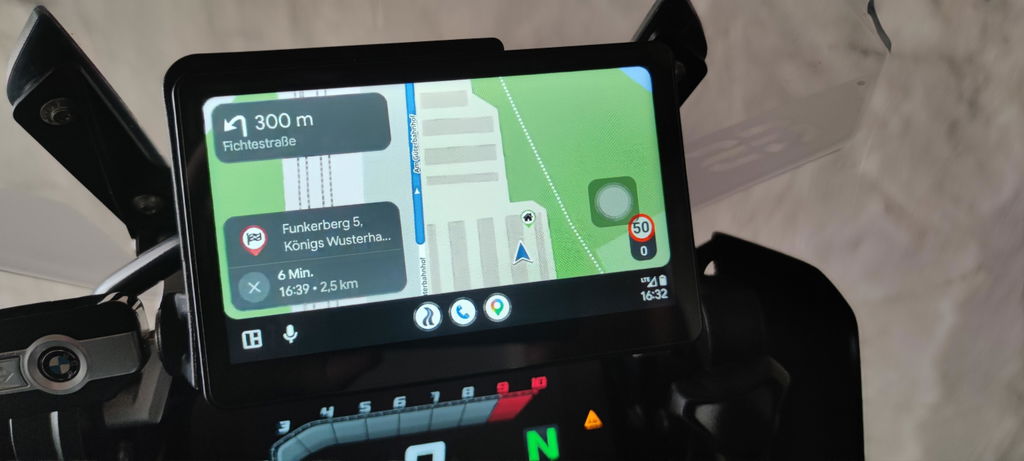
GPS、GLONASS、BeiDouをサポートする高精度の位置決め機能を備えたこのシステムは、正確で信頼性の高いナビゲーションを提供します。Waze、Google Maps、Tmapなどの人気の地図アプリをリアルタイムで使用でき、複雑なルートでもスムーズなパフォーマンスと安定したガイダンスを実現します。

High-performance Qualcomm processor and large memory of the Linkifun L8 CarPlay Android AI Box, enabling smooth app launching, multitasking, and stable long-term operation.
08

高性能クアルコム8コアプロセッサ

Qualcomm 6350 8コアプロセッサーによって駆動されるこのシステムは、高速な起動時間、スムーズなマルチタスク処理、優れた熱管理を提供します。複数のアプリを同時に実行しても、パフォーマンスは安定しており、応答性も高いため、動画ストリーミング、ナビゲーション、その他の高負荷アプリケーションにおいてシームレスな車内体験を保証します。

SIM and TF card expansion feature of the Linkifun L8 CarPlay Android AI Box, supporting up to 256GB storage and independent internet or calling capabilities.
09

拡張ストレージと通信

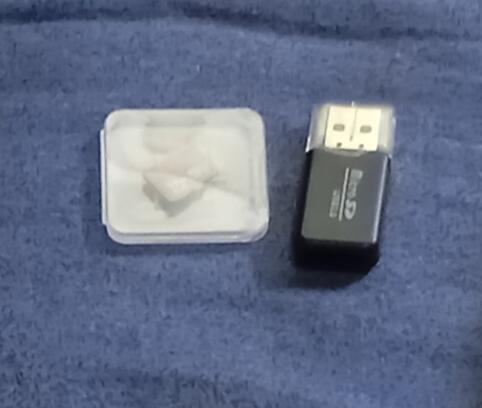
L8は、SIMカードとTFカードの両方をサポートしており、最大256GBのストレージ拡張が可能です。音楽、動画、アプリデータをシステムに直接保存し、いつでも便利にアクセスできます。

SIMカードを挿入すると、スマートフォンに依存せずに通話やインターネットにアクセスでき、より便利で安全な運転環境を作り出します。

OEM control support of the Linkifun L8 CarPlay Android AI Box, with a note advising users that a touchscreen is recommended since Bluetooth remotes are not supported.
10

OEMコントロールとの完全互換性

L8はBMWのオリジナル制御システムを完全にサポートしており、音声制御、iDriveロータリーノブ、ステアリングホイールのボタン、タッチスクリーン入力を介してスムーズに操作できます。これにより、すでに慣れ親しんでいるコントロールを使用してシステムを利用できます。

なお、L8は汎用Bluetoothリモートコントロールをサポートしていません。

最高のユーザー体験を得るために、車両のディスプレイがタッチスクリーン機能を備えていることを強くお勧めします。タッチ入力がない場合、テキスト入力やアカウントログインなどのタスクを完了できず、使いやすさに大きな影響を与える可能性があります。

購入前にこれを確認してください。

Initial connection guide for the Linkifun L8 CarPlay Android AI Box, explaining that BMW models auto-connect after the first setup, while MINI Cooper and Toyota GR Supra require manual connection each time. Smartphone not required for connection.
11

初期接続ガイド

BMW車両の場合、初期設定が完了したら、L8を接続するだけで、次回以降の使用時に自動的にシステムがAndroid 13インターフェースに切り替わります。

01

三つのシステム間のシームレスな切り替え

Android 13にアップグレードされたL8は、ワイヤレスCarPlayとワイヤレスAndroid Autoをサポートし、3つのオペレーティング環境を自由に切り替えることができます。

お気に入りのアプリにアクセスしたいときはAndroidシステムを、iPhoneユーザーにはCarPlayを、AndroidユーザーにはAndroid Autoを使用してください。この柔軟なシステム選択により、状況に応じて最も適したインターフェースを選択でき、よりスムーズで直感的、快適な運転体験を提供します。

02

Google Playからお気に入りのアプリをダウンロードする

Google Playストアをフルサポートしているので、お気に入りのアプリ(YouTube、Googleマップ、Netflix、Spotify、ABEMAなど)を車内で自由にダウンロードして楽しむことができます。

大画面インターフェースはスムーズで反応の良い操作を提供し、スマートフォンを使用しているのと同じ直感的な体験を実現します。好きなアプリで車内システムをカスタマイズし、より柔軟で快適、そして楽しいドライブ体験をお楽しみください。

03

4K高解像度メディア再生

YouTube、Hulu、Netflix、Disney+などの動画を驚くべき4K解像度でお楽しみください。鮮明なディテールと鮮やかなビジュアルが没入感のあるエンターテインメント体験を提供し、映画のような視聴をあなたの車にお届けします。

04

完全にカスタマイズ可能なホームスクリーンレイアウト

L8を使用すると、ホーム画面を簡単にカスタマイズできます。アプリドロワーを再配置し、ホーム画面のコンポーネントの配置を調整し、好みに合わせた複数のレイアウトオプションから選択できます。よく使うアプリをピン留めして迅速にアクセスできるようにし、インターフェースを自分の好きなように整理して、より直感的で効率的なユーザー体験を作り出します。

向上した明瞭さと使いやすさにより、運転ニーズに特化したスマートでパーソナライズされたインターフェースを構築できます。

05

スマートスプリットスクリーンマルチタスク

スマート分割画面機能を使えば、動画や音楽アプリを同時に使用しながらナビゲーションを表示できます。アプリ間を切り替える必要はなく、1つの画面で複数のタスクをスムーズに管理できます。

3:7、5:5、2:8などの調整可能な分割比率で画面レイアウトを自由にカスタマイズでき、最も重要なコンテンツを優先できます。

分割画面モードを有効にするのは、たった3つの簡単なステップです:

  1. 左側と右側のアプリを選択し、画面比率を選びます
  2. クイックランチャーアイコンを作成します(複数のレイアウトを保存できます)
  3. タップ1回で瞬時に分割画面表示を起動します

お気に入りのレイアウトを瞬時に呼び出すことができるこのスマートで効率的なインターフェースは、より柔軟で直感的、かつ生産的なユーザー体験を提供します。

06

多様な接続オプション

柔軟なインターネット接続を提供するこのBMW用Carplay Android AIボックスは、独立したネットワーキングのためのSIMカードとモバイルホットスポットへの接続の両方をサポートしています。これにより、ユーザーはモバイルカバレッジが不安定な場合でも、ナビゲーション、ストリーミング、オンライン機能などの重要なサービスに常にアクセスできることが保証されます。

07

内蔵GPSナビゲーション

GPS、GLONASS、BeiDouをサポートする高精度の位置決め機能を備えたこのシステムは、正確で信頼性の高いナビゲーションを提供します。Waze、Google Maps、Tmapなどの人気の地図アプリをリアルタイムで使用でき、複雑なルートでもスムーズなパフォーマンスと安定したガイダンスを実現します。

08

高性能クアルコム8コアプロセッサ

Qualcomm 6350 8コアプロセッサーによって駆動されるこのシステムは、高速な起動時間、スムーズなマルチタスク処理、優れた熱管理を提供します。複数のアプリを同時に実行しても、パフォーマンスは安定しており、応答性も高いため、動画ストリーミング、ナビゲーション、その他の高負荷アプリケーションにおいてシームレスな車内体験を保証します。

09

拡張ストレージと通信

L8は、SIMカードとTFカードの両方をサポートしており、最大256GBのストレージ拡張が可能です。音楽、動画、アプリデータをシステムに直接保存し、いつでも便利にアクセスできます。

SIMカードを挿入すると、スマートフォンに依存せずに通話やインターネットにアクセスでき、より便利で安全な運転環境を作り出します。

10

OEMコントロールとの完全互換性

L8はBMWのオリジナル制御システムを完全にサポートしており、音声制御、iDriveロータリーノブ、ステアリングホイールのボタン、タッチスクリーン入力を介してスムーズに操作できます。これにより、すでに慣れ親しんでいるコントロールを使用してシステムを利用できます。

なお、L8は汎用Bluetoothリモートコントロールをサポートしていません。

最高のユーザー体験を得るために、車両のディスプレイがタッチスクリーン機能を備えていることを強くお勧めします。タッチ入力がない場合、テキスト入力やアカウントログインなどのタスクを完了できず、使いやすさに大きな影響を与える可能性があります。

購入前にこれを確認してください。

11

初期接続ガイド

BMW車両の場合、初期設定が完了したら、L8を接続するだけで、次回以降の使用時に自動的にシステムがAndroid 13インターフェースに切り替わります。

3-in-1 system switching feature of the Linkifun L8 CarPlay Android AI Box, allowing users to choose between Android system, Wireless CarPlay, and Wireless Android Auto.Google Play app download feature of the Linkifun L8 CarPlay Android AI Box, allowing users to install YouTube, Google Maps, Netflix, Spotify, and more for in-car entertainment.4K Ultra HD media playback on the Linkifun L8 CarPlay Android AI Box, supporting YouTube, Hulu, Netflix, Disney+, and other streaming apps in 3840x2160 resolution.Customizable home screen layout of the Linkifun L8 CarPlay Android AI Box, allowing users to adjust app drawers, components, and desktop layouts for a personalized interface.Split-screen multitasking feature of the Linkifun L8 CarPlay Android AI Box, allowing customizable screen ratios and quick-access presets for navigation, video, and music apps.Versatile connectivity options of the Linkifun L8 CarPlay Android AI Box, supporting SIM card internet and mobile hotspot connection for reliable online access.Built-in GPS navigation of the Linkifun L8 CarPlay Android AI Box with GPS, GLONASS, and BeiDou support for accurate real-time navigation.High-performance Qualcomm processor and large memory of the Linkifun L8 CarPlay Android AI Box, enabling smooth app launching, multitasking, and stable long-term operation.SIM and TF card expansion feature of the Linkifun L8 CarPlay Android AI Box, supporting up to 256GB storage and independent internet or calling capabilities.OEM control support of the Linkifun L8 CarPlay Android AI Box, with a note advising users that a touchscreen is recommended since Bluetooth remotes are not supported.Initial connection guide for the Linkifun L8 CarPlay Android AI Box, explaining that BMW models auto-connect after the first setup, while MINI Cooper and Toyota GR Supra require manual connection each time. Smartphone not required for connection.
Linkifun L8 Standard and L8 Pro internal design comparison showing the upgraded ultra-quiet cooling fan for improved heat dissipation.
Compatibility chart showing that the Linkifun L8 Android AI Box supports BMW iDrive systems ID6, ID7, ID8, ID8.5, and ID9.
Online firmware update feature of the Linkifun L8 CarPlay Android AI Box displayed in a desktop layout, showing OTA system upgrade capability.
Specifications and dimensions of the Linkifun L8 CarPlay Android AI Box displayed in a mobile-friendly format, including measurements and key features.

よくある質問

Customers praised this Android 13 AI Box for easy installation and seamless connectivity, enabling streaming apps like Netflix and YouTube. Many noted "works perfectly" on various models. However, some experienced sound delay and slow performance on older ID6 systems. Responsive customer service received positive mentions.

  • Simple setup, ease of use.
  • All the apps support full screen and it's easy customizable to what I need to display.
  • Fast app loading and reliable performance make this adapter an exceptional all-in-one solution.
Streaming (positive)Installation (positive)Connection (positive)Connectivity (positive)Apps (positive)
  • 5 stars: 46 (90%)
  • 4 stars: 5 (10%)
  • 3 stars: 0 (0%)
  • 2 stars: 0 (0%)
  • 1 star: 0 (0%)
B
Bill W.

*NOTE* Don't read a couple of non 5 star reviews and make a decision. Look at the reviews for the Linkifun product and then the reviews for the Linkifun Store. Their are reviews that give less than 5 stars for nonsense.
One complaining that shipping took a few weeks. If you paid for standard international shipping then that is reality and undeserving of less than 5 stars.
Another complaining that they wish the unit accepted a sim card in the US. The description clearly states this information for that particular unit and you buy it to complain that the item was exactly as described.
One unit purchased for a BMW complaining that, there was a learning curve to navigating through the device, the unit lags and does not use the full head unit screen. First, don't be lazy it's a very straight forward system and does not have near the options, settings and interface as a Dudu7, firestick or a smartphone. Second, I have had zero issues with lagging and define in my review below. It sounds like the sim card carrier service you have isn't great in your area, no fault of the unit. Last, there are settings for the screen and some apps act differently than others just as they do on a smart phone.

Application:
Unit: L8 AI Box for BMW
Option: Android 13 Qualcomm 8+128GB
Sim Card: T-mobile 30GB text & data (no voice) $10/month
Automobile: 2022 BMW X5 G05 45e - iDrive7

I purchased the higher memory and advise to do so. There is a noticeable boot up and application run speed difference if you choose the cheaper version vs the higher end. You get what you pay for. I found this out the hard way in my previous purchase of a Mekede Dudu7 unit. The review videos of the Dudu7 showed several timed instances of boot up and application run speeds for the top end unit. I went cheap and got the low end and it was no where near as fast, 50-60%.
The sim card was plug and play left over from my previous unit mentioned above. I called T-mobile to cancel it prior to purchasing the L8 as it wasnt being used. They gave me a $10 (so free) bill credit indefinitely. I have several lines and devices for family on my account so they're getting their money. The 30GB has never been reached or throttled. It has worked great in my area and the vast majority of our road trips. I regularly use the split screen to play YouTube or Netflix with Waze running on half.
The bootup to screen on my X5 is random. Sometimes its immediate and sometimes I have to unplug the L8 and plug it back in. This may be the 90 degree usb adapter in my console. It also may be due to the unit not getting proper air flow/open air to no fault of the units. It sits under a shelf in the center console and I live in Alabama so it could be a number of those affecting the units temperature.
The settings are pretty basic compared to other devices which is a positive IMO. There are screen settings to play with along with all the typical android settings. The screen on my X5 is not a standard size but the device works great on it. Waze for instance covers the entire screen edge to edge which is a huge nav screen. Youtube also covers the entire screen. Netflix uses the whole screen until a video is played and then it gives a ~0.5 inch top and bottom border and ~1.0 inch left and right border. It is still a good size and a non-issue for me.
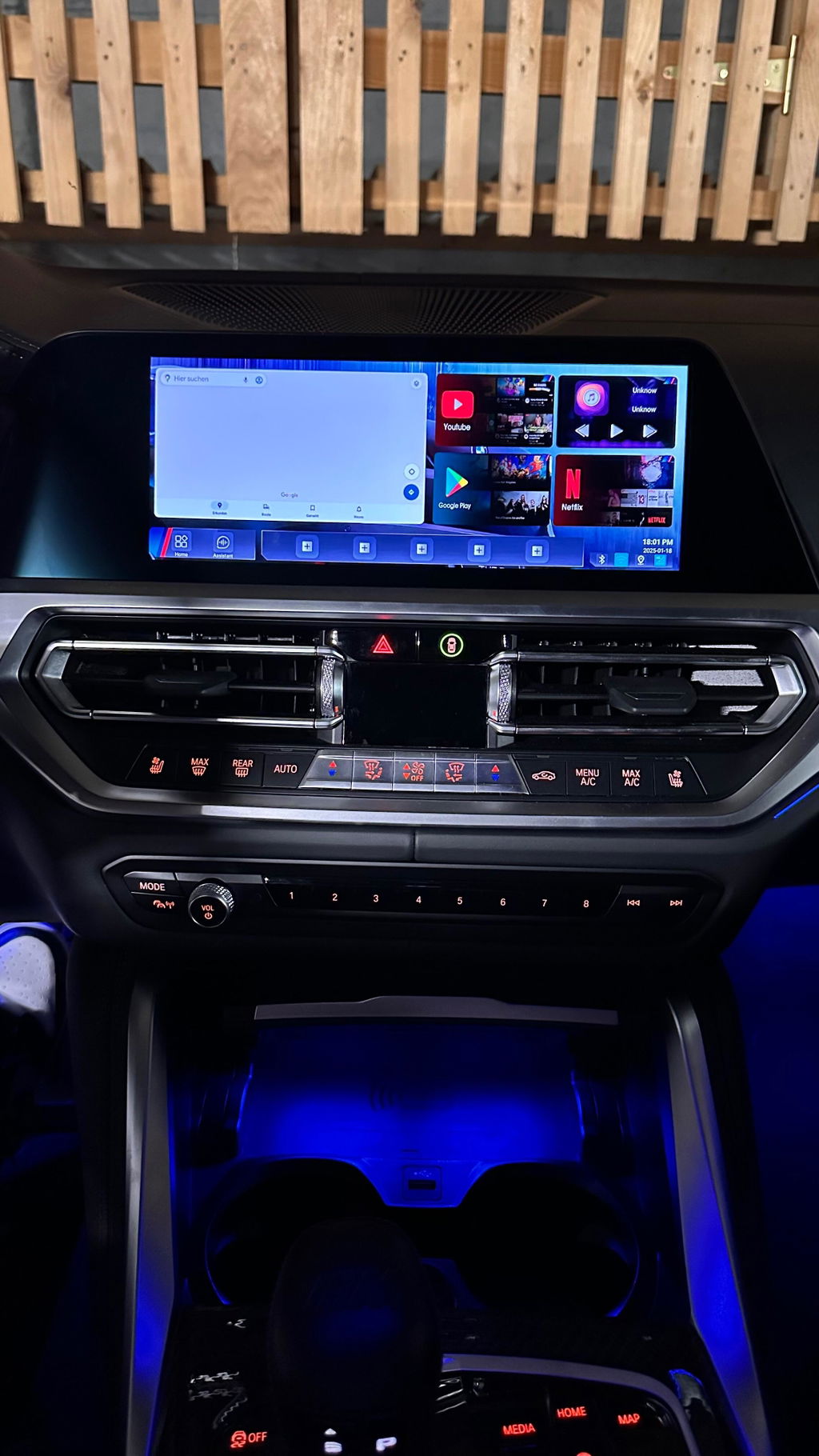
The main screen has a Google maps that takes up one half the screen and then 4 widgets on the other half.
2 of the widgets cannot be changed to other apps or are pre-set. 1 of the pre-set widgets is split screen. You can set two apps within it, specifying left & right, that is basically a shortcut to that particular split screen. The 2nd preset widget is audio. This shows what is currently playing with standard music options buttons (play/pause, next, back, etc).
The other two widgets can be changed to a limited list of available apps you've downloaded on the device.
The home screen has an option to add 5 favorites on a favorites bar. The remaining screens you can add any number just like an android and the app icons display on it. The app icons can be sorted to your liking. Tying back to split screen, you can add multiple icons or instances of split screen. They will show as an app icon with thise 2 apps split on the icon. Those split screen icons/instances can be added to any of the 5 favorites on the home screen.
There is a folder app icon that is for your micro sd card and the system. You can access your pictures, music, videos, files, etc here. The unit comes preloaded with a large variety of screen background images and you can save or make your own to your sd card. There are some pretty neat background images that come with the unit and I use those.
The L8 connects to your screen by accessing the BMW iDrive Carplay app and selecting the Linkifun L8. Mine is named BM-4numbers as the carplay connection. Disconnect your BMW wifi to phone option from your phones wifi. It will keep the iDrive and Carplay for battling connection. A great ...

B
Bill W.
Linkifun L8 AI Box for BMW

The Product:
Linkifun L8 Carplay Android AI Box for BMW purchased for 2022 BMW G05 X5 XDRIVE45E. The product is amazing. It is a highly competitive price point with like products. I recently sold a vehicle that I had installed the DuduAuto Dudu7 unit in, wanted a similar setup for the X5 but did not want to replace the head unit. The L8 combined with the X5 head unit has everything and more that the Dudu7 offered.
The unit should be placed in an open air area vs inside of a console or glove box. I live in Alabama and have it in my center console. On the 95+ degree days it may lag on connectivity due to restricted air flow in the console. The unit was plug and play. I have a T-mobile sim card with 4G data plan and it has worked without issue. The device is small and has a nice visual design which may matter to those that are limited in space. I have noticed a audio and video do not perfectly sync in apps such a YouTube, Netflix, etc but this was easily fixed in the settings with a sync time offset. I love the L8 and would highly recommend it. I don't have a cons to list about the L8.
Customer Service:
The L8 shipped promptly, and was packaged well. Customer service was very responsive and helpful with a carrier import duties shipping issue, at no fault to Linkifun. It was an overall very positive experience.

N
Nabeel M.

It works very well on my BMW X7, all the apps support full screen and it’s easy customizable to what I need to display . 100 % recommended

T
Tuan S.P.

Ich bin so glücklich

A
Anonymous
Delay

It's a shame that the sound is delayed.

Dear customer,

Thank you for your feedback. We are sorry to hear about the audio/video delay issue.

For this problem, please try adjusting the delay setting on your L8:

Open Settings
Go to Audio
Find Video Sync Options
First set the value to 200 ms
Then return to the original car interface and enter the box system again. This step is needed for the setting to take effect.

After that, please check whether the audio/video synchronization has improved.

If the delay still exists, you can try changing the value to 400 ms, then return to the original car interface again and enter the box system once more. You can continue testing different values to find the best synchronization setting.

If the issue still cannot be solved, please contact our support team and we will continue to help you. Thank you for your understanding.
BR
The Linkifun Team

A
Anonymous
Easy to Connect

Easy to Connect , But need some Time to well manage

M
Martin V.
I am very happy with this product

I am very happy with this product. But what I really would appreciate, is the better manual for installation and using manual. Btw., the QR codes did not work. There were a lot of functions I found just by chance, which is really pitty. For the customer and for the seller, as well

J
Jan
Great box! (with some limitation on ID6)

Finally, a system that really works with the iDrive 6 (ID6) system. Fully functional on the 2017 BMW G11 (750d).
The BOX can actively establish a connection on its own, which is necessary for ID6 (ID6 cannot actively search for a connection on its own, it just opens it and waits for an active connection from the other side. Many boxes cannot do this).

Functionally, it's a fine device. You can play YouTube, Netflix, etc. The only downside is that the system is very slow. Perhaps this is not a fault of the BOX, but rather the slowness of the ID6 system (I understand that it is 8 years old), but the Android response is very slow. This doesn't matter on YouTube and Netflix, but if you plan to download an internet browser or email client, for example, you can download them, but you can't work in them (the system is so slow that you definitely won't be able to write an email).

Overall, however, I rate it very positively. For the price, it's a great device and I can recommend buying it.

A
Arthur L.M.
Great addition to my BMW

Great addition to my BMW. This is the only way you can use your BMW IDrive to watch Netflix and other apps without having a fixed Android connection on your vehicle. The company is very responsive and answered all of my questions while installing the device. Highly recommend the device and the company.

A
Anonymous
Great addition to my 2025 BMW Z4

Great addition to my 2025 BMW Z4. Product works just as advertised. Great customer service.

Z
Zane A.

I've been asked about it several times when I'm in the drive thru and people notice a video playing on my infotainment screen.

L
Levi T.

I love it.

L
Liam A.

Super fancy

S
Seth M.

Love this device to watch, YouTube, Netflix, CarPlay etc!

C
Cameron M.

I love the extra ram and the unit came preloaded with app stores (official and unofficial).

C
Craig P.

The best for BMW

C
Christopher D.

have tried several of these devices over the past few years and all never delivered as described...until this one. The box has done exactly as I had hoped and more! Simple setup, ease of use.

R
Robert I.

Works quick, has amazing features and allows for quick actions!

R
Robert A.

The ability to stream Netflix, YouTube, TikTok, and access the Play Store is a game-changer for entertainment on the go. Setup is quick, and the connection is consistently stable with smooth video playback. The fast app loading and reliable performance make this adapter an exceptional all-in-one solution. Highly recommended!

J
Jeffrey B.

I recently got this box, the setup was simple and the response time is impressive. It makes my driving experience much safer and more enjoyable

N
Nabeel M.
Work perfectly

The device worked with my X7 2024 perfectly and as expected and It is highly recommended

O
Ozgur S.
Je remercie à toute l'équipe linkifun.

Je remercie à toute l'équipe linkifun.

N
Nabeel M.

It works perfectly on my BMW X7 2024. Highly recommended

N
Nabeel M.
worked perfectly

The smart box worked perfectly on my BMW X7 2024

S
Seth D.
worth each penny

As for its durability, I will wait and see, after all, I have only used it for a month.